

Pray together, wherever you are.
Connected prayer.
Flexible Request Options
Prayer Wall
Prayer Counters
Request Routing & Notifications
Review & Follow-up Tools



Automatically Expiring Requests
Associated Locations

Prayer
Flexible Request Options
Submitting a request is straightforward: people can choose to display their name, submit anonymously, or keep the request fully private. This flexibility makes it easier for individuals to ask for prayer in a way that aligns with their personal comfort level.
The form also supports optional fields like campus or ministry selection, allowing requesters to direct their need to a specific context within the church without needing to understand the internal structure.

Prayer Wall
The prayer wall displays public requests in a clean, readable layout so your church can easily see who needs prayer and respond. Requesters choose whether to show their name, post anonymously, or keep sensitive information private, and the wall reflects those choices automatically.
Churches can use the wall as a dynamic, always-updated space for ongoing prayer, helping members engage with real needs throughout the week — not just on Sundays.
Prayer Counters
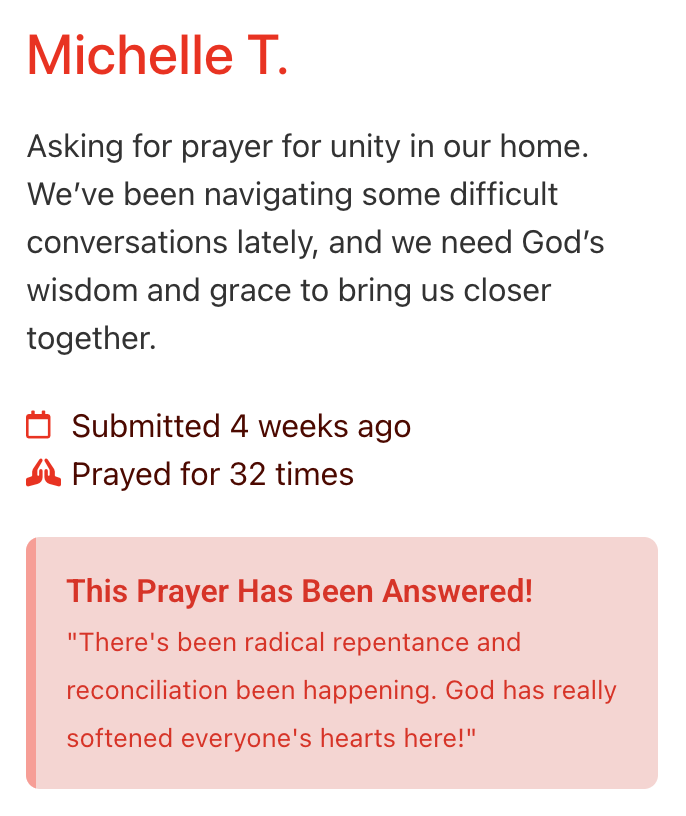
Each public request includes a prayer counter that increases whenever someone clicks to indicate they’ve prayed. It gives the church a simple way to engage and shows requesters that they are being supported.
Requesters can also choose to receive a daily email summary showing how many people prayed for their request that day. This keeps them encouraged without exposing their personal details and helps them feel connected to the church’s ongoing care.
Request Routing & Notifications
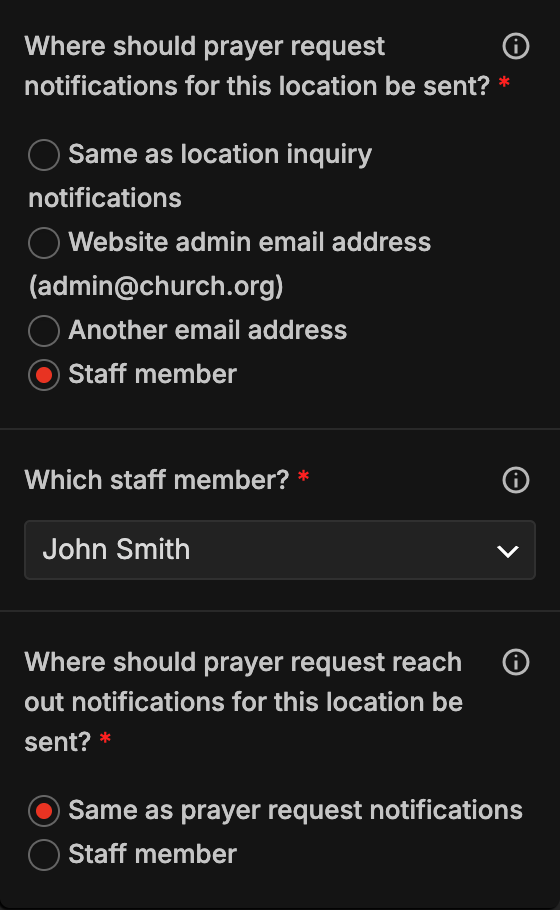
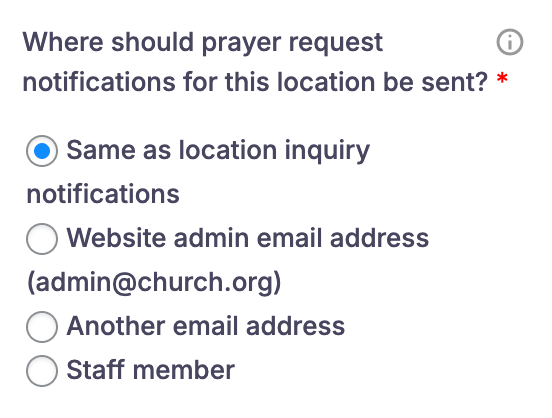
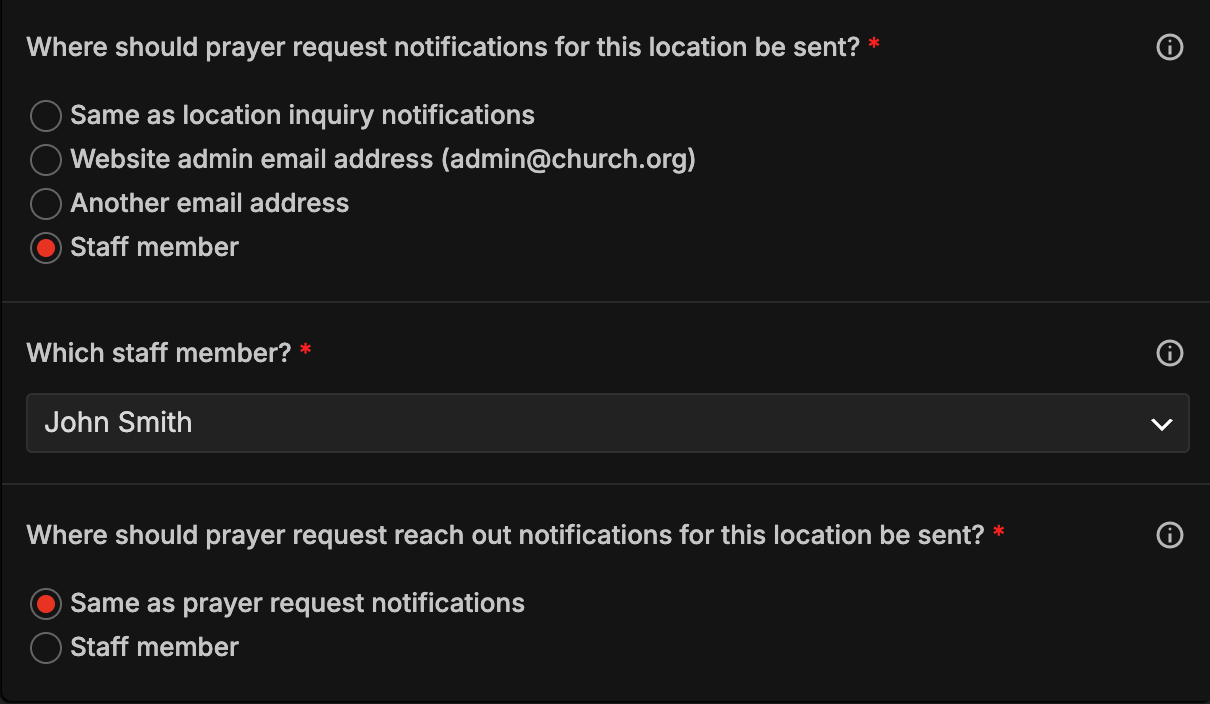
Once a request is submitted, it’s immediately routed to the correct pastor, staff member, or prayer team based on the chosen campus, ministry, or your configured settings. This prevents uncertainty about who should respond and ensures needs are delivered to the right hands every time.
Instant email notifications alert leaders as soon as a new request arrives, reducing response time and making it easier to follow up while the need is fresh.
Review & Follow-up Tools
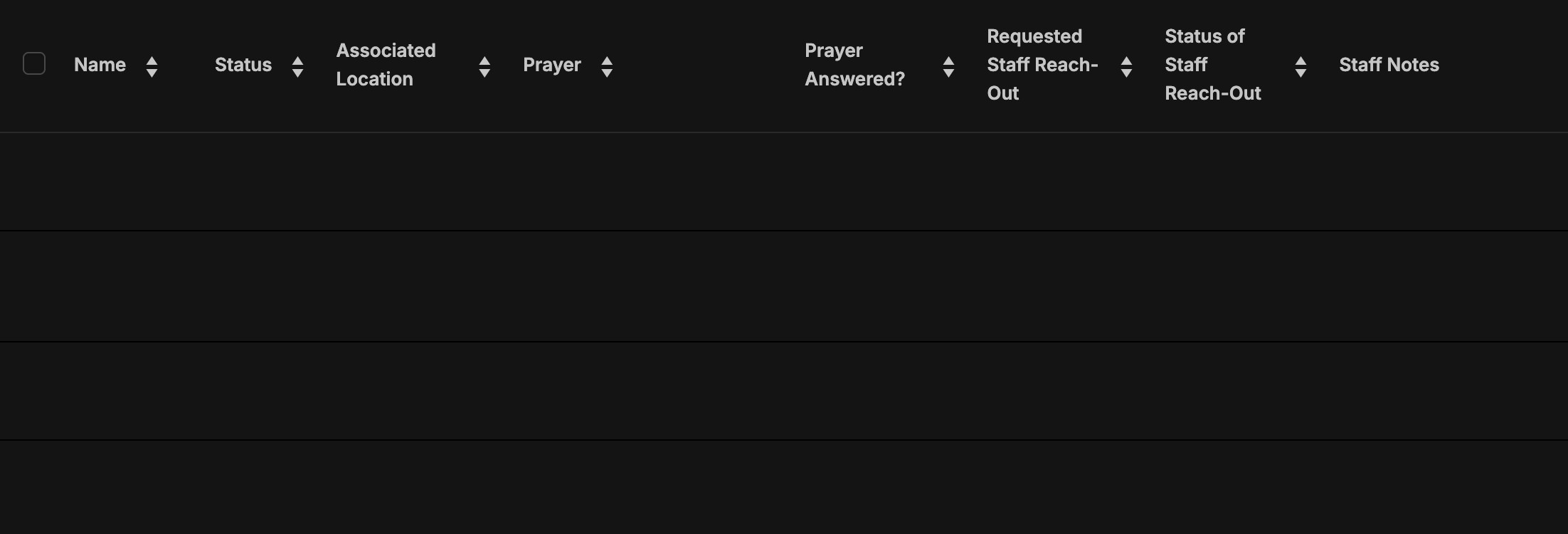
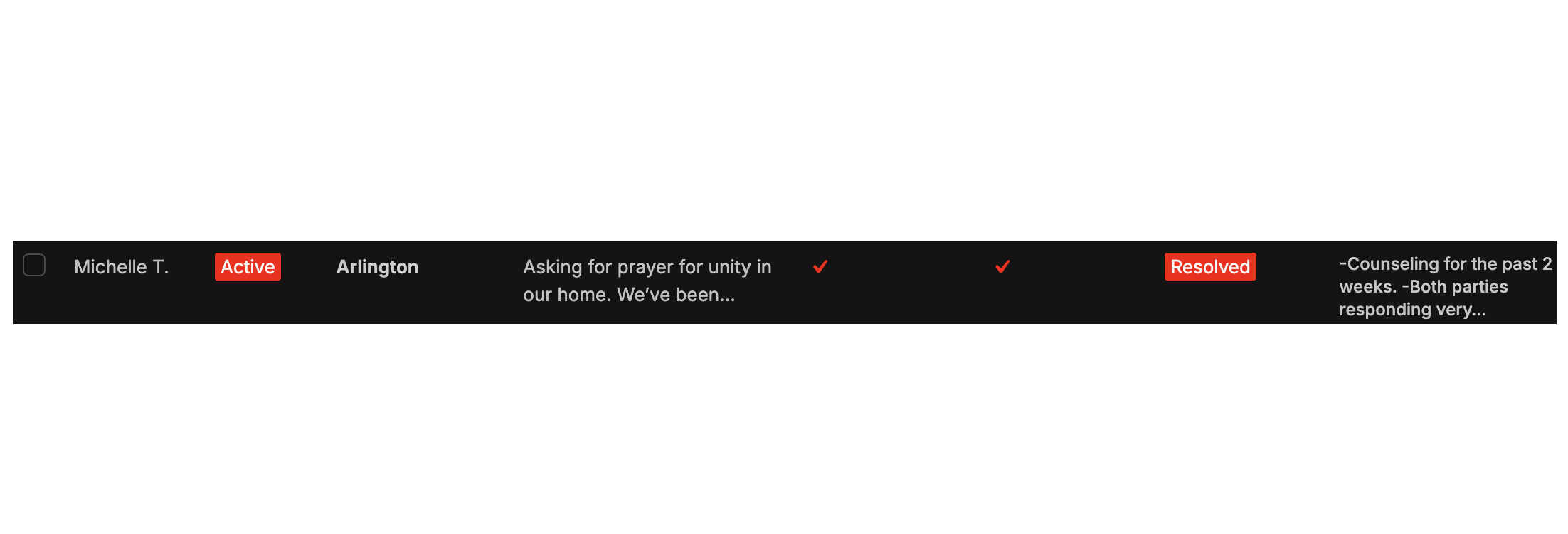
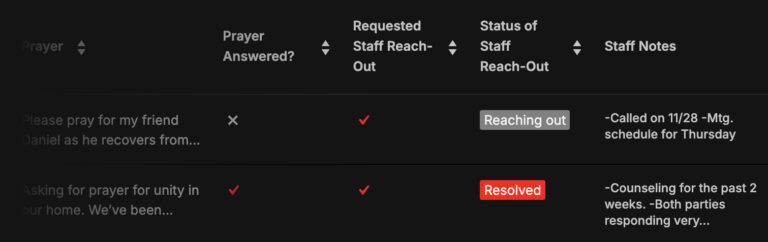
A dedicated dashboard gives staff a complete view of all incoming prayer requests. Leaders can filter by campus, status, or visibility; view requester details privately; and update each request as it moves through contact, follow-up, and resolution. This keeps the team aligned and ensures nothing gets missed.
Internal review tools also help churches maintain pastoral quality — providing a clear record of which needs have been addressed, who responded, and what care has been provided so far.
Automatically Expiring Requests
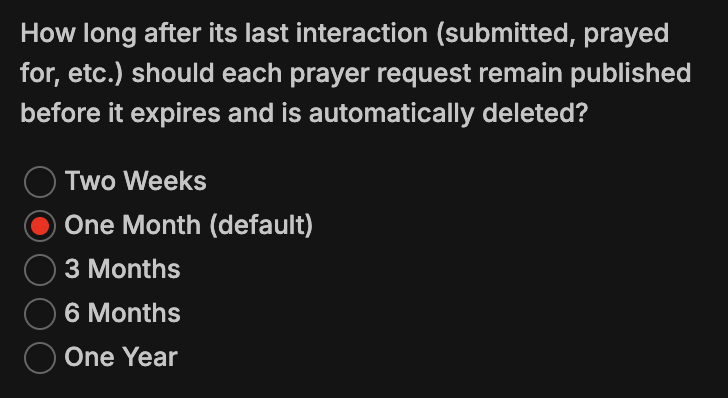
Prayer requests can be configured to expire automatically after a chosen number of days. Once expired, they’re removed from the public wall but remain accessible internally for staff review, data retention, or future follow-up.
This helps the prayer wall stay focused on current needs without requiring regular manual cleanup and gives leaders a longer-term history of the church’s prayer activity.

Associated Locations
Multi-site churches can associate each prayer request with a specific campus or location. When a requester selects their location, the request is automatically grouped with that site, ensuring it reaches the leaders and teams responsible for caring for those individuals.
This also helps keep things organized when filtering or reviewing requests internally, and can optionally support location-specific displays on the public prayer wall — keeping prayer needs relevant to the people viewing them.
